Animated score
Make a scrolling sheet music video
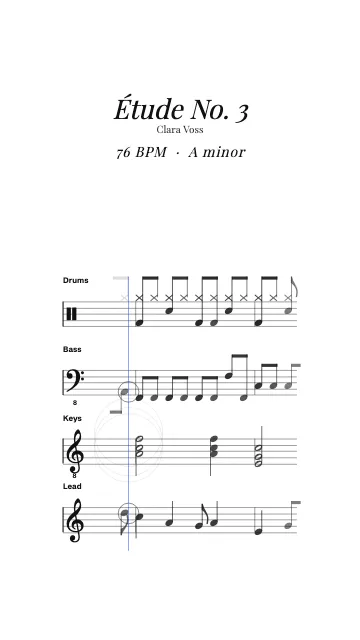
MidiKino writes your MIDI as a real score, one staff per instrument with clefs, key signature and beams, and scrolls it in time with the audio. A clean way to show a chord progression, a melody or a whole arrangement in a short video.
How to make a sheet music video
- 1
Export MIDI and audio
Export the MIDI and the audio of your loop or track from your DAW, over the same bars. One MIDI track per instrument gives one staff each.
- 2
Choose Sheet music
Drop both files in MidiKino (MIDI animation) and pick the Sheet music style. The key is read from the MIDI; you can change it, and the title, in the Text tab.
- 3
Export
Export a 1080p MP4 in 9:16 for Reels, TikTok and Shorts, or in 16:9 for YouTube.
A real score, not a piano roll
Each instrument gets its staff with the right clef (octave clefs for low and high parts), the key signature, notes quantized to the beat and beamed, accidentals and rests. The playing notes light up as they pass the playhead.
No MIDI?
Convert your audio first with the audio to MIDI converter, then choose Sheet music. The result depends on the audio: clean beats and tracks give the best scores.
Questions
Can I turn a MIDI file into sheet music video?
Yes: drop the MIDI and its audio in MidiKino and pick the Sheet music style. Each track becomes a staff that scrolls with the music.
Which instruments are shown?
Every MIDI track that has notes, up to eight staves, with drums on a percussion staff.
Can I print the score?
MidiKino makes videos, not printable scores. For a printable score, open the MIDI in notation software such as MuseScore.
More with MidiKino
Ready? Drop your beat or your track and see it move in seconds.
Create my video